This tutoriel will show you How to install IPTV SMARTERS PRO on FIRESTICK
This guide will show you how to install IPTV Smarters Pro on Firesticks.
This application continues to be one of the most popular IPTV video players on the market today because it’s free and packs important features.
The developers continually update this app with tons of fabulous features to ensure a flawless experience.
The app itself does not host any live TV channels. Users must use either Xtream Codes or M3U URL setup which is typically provided by an IPTV provider.
In this guide, we are using an Amazon Fire TV Stick 4K Max. However, these instructions also work for other streaming devices including Android TV and Google TV.
Step 1: Install Downloader
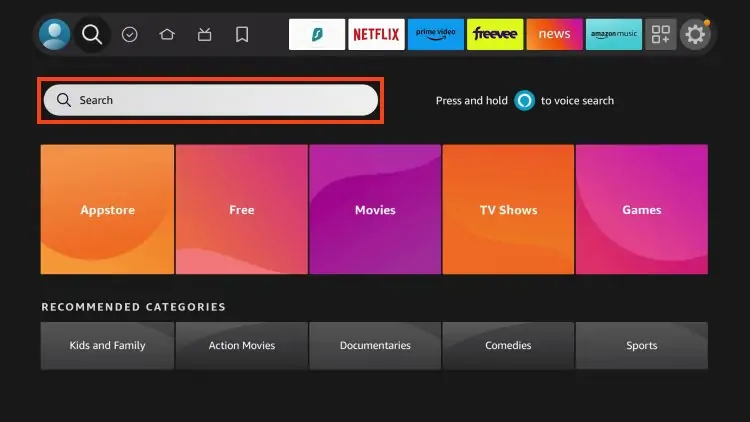
1. From the home screen of your device, hover over the Find button and then click the Search box.
2. Search for and select Downloader.
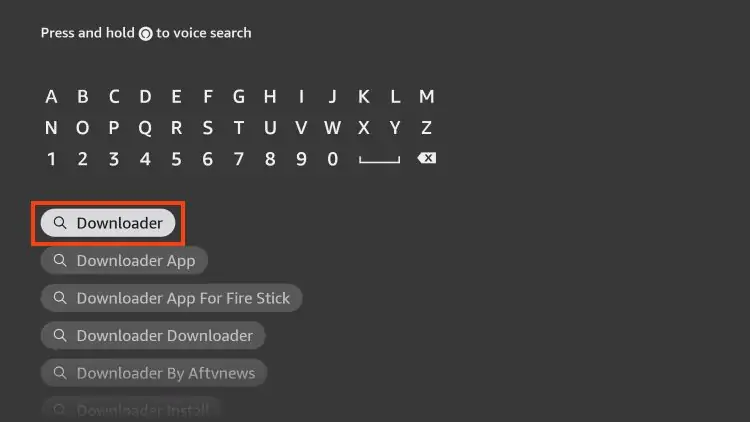
3. Choose the Downloader app.
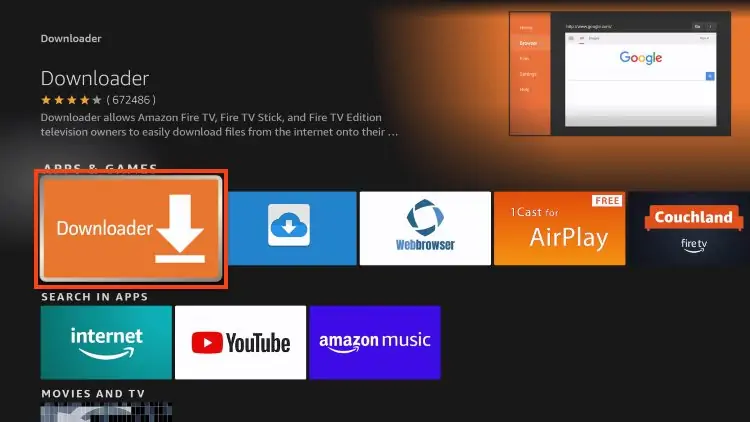
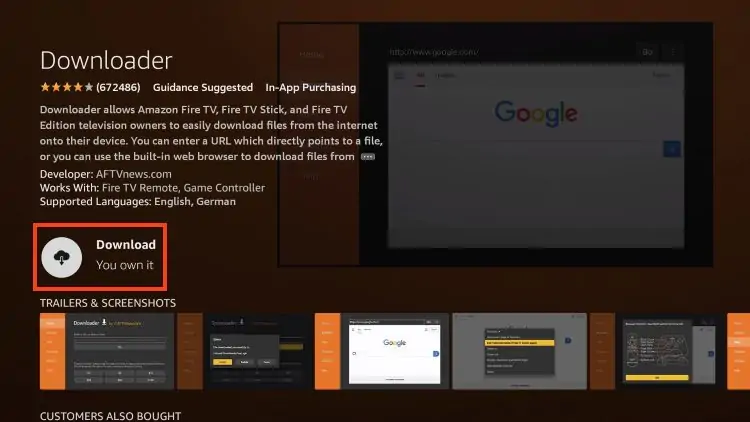
4. Click Download or Get.
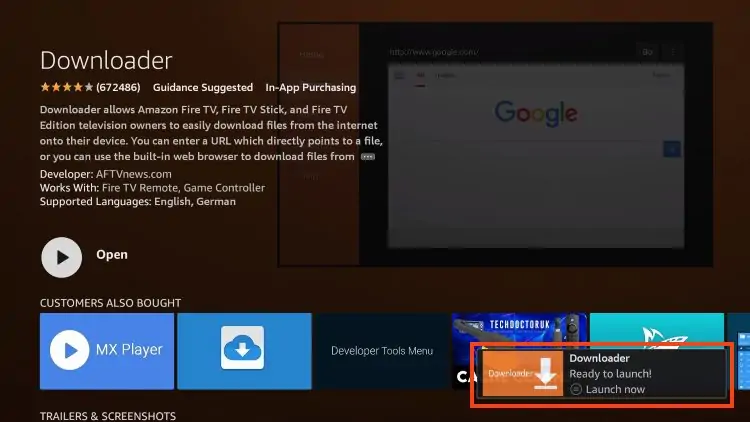
5. You will then encounter Downloader Ready to launch! message.
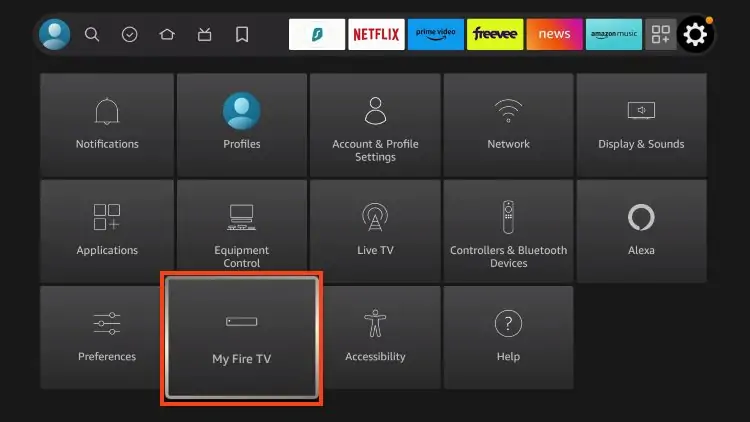
6. Return to the home screen to hover over Settings and click My Fire TV.
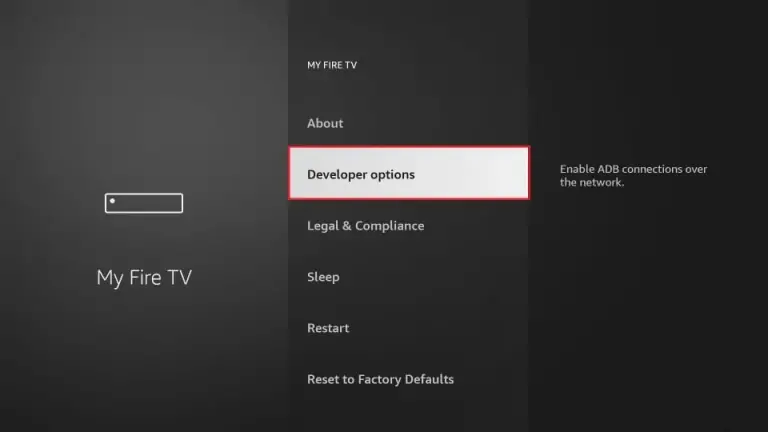
7.1. When the following set of options are displayed on the next screen, click Developer Options
(if you don’t find it follow the next step)
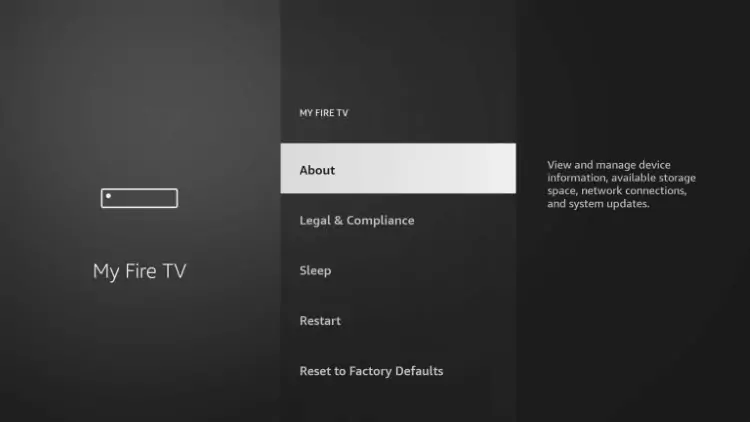
7.2 If you don’t find developer option, click about
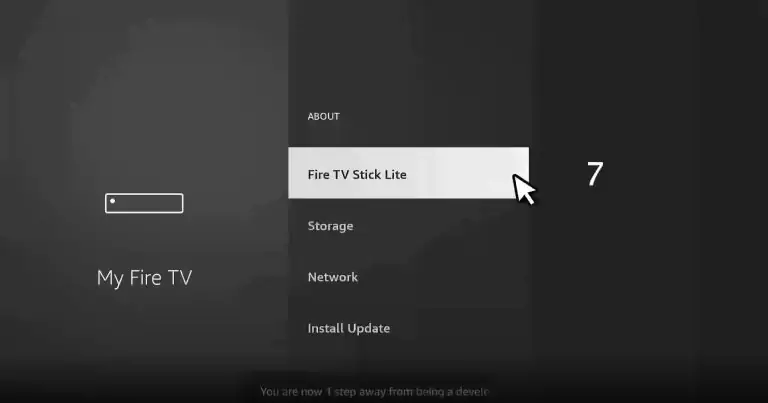
7.3 Hover over Fire TV Stick and click the OK button on your remote 7 times to become a developer.
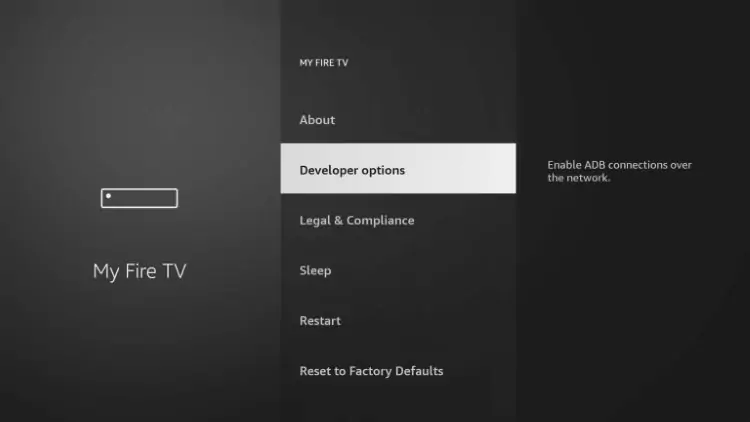
7.4 Click the back button on your remote and you will notice Developer Options is now showing within My Fire TV.
Now click on developer options
8. Click Install unknown apps.
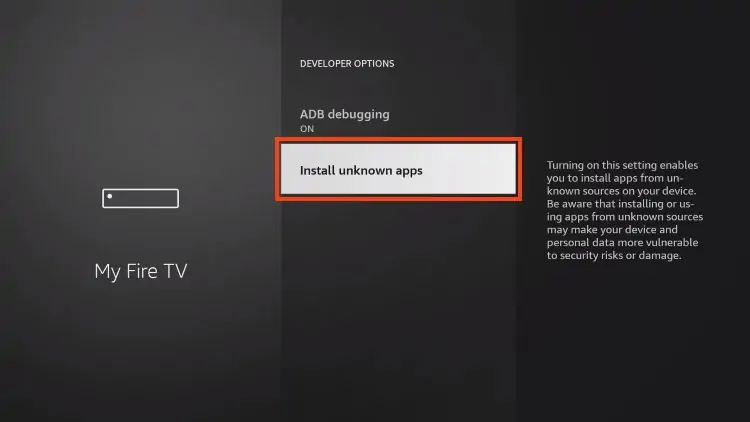
9. Find the Downloader app and click it.
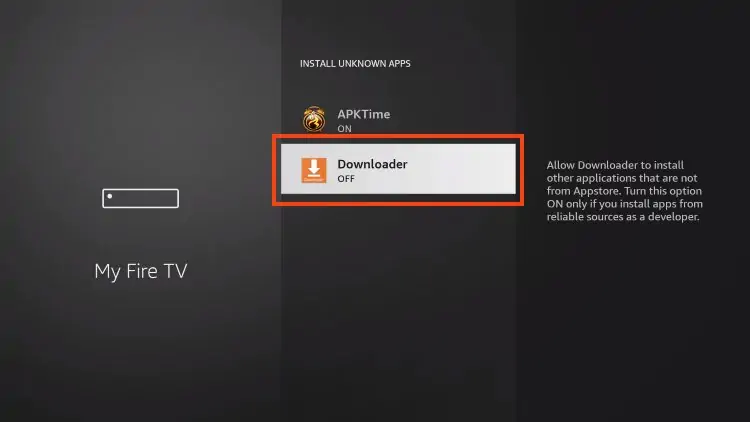
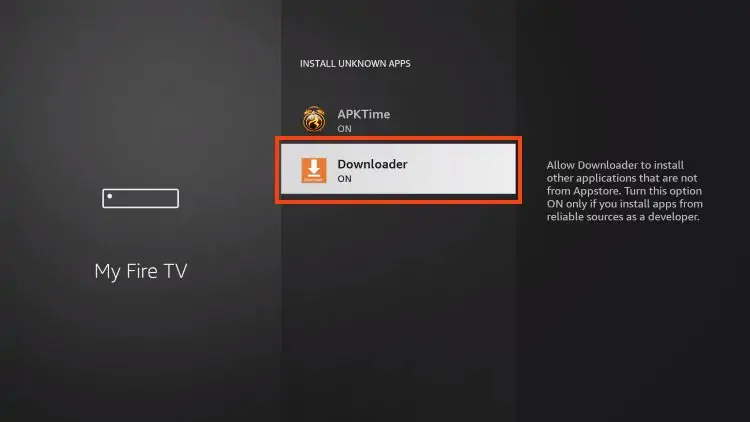
10. This will turn Unknown Sources to On for the Downloader app and enable side-loading on your device.
Step 2: Install IPTV SMARTERS
11. Now launch Downloader.
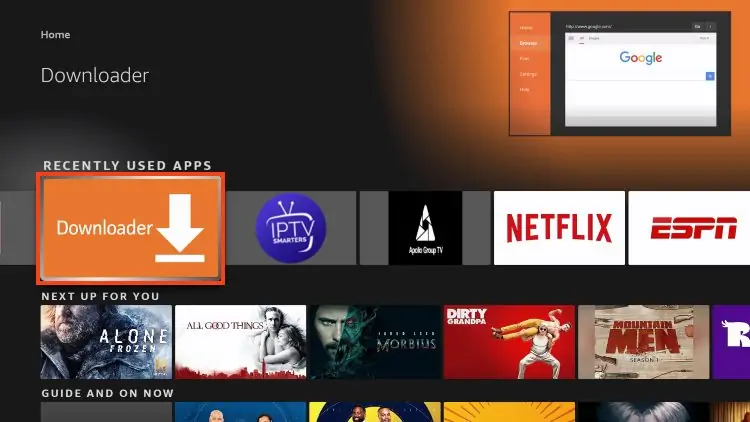
12. Go ahead and enter the following path on this window:
IPTV HANE.com/isp
Note: You may also use those codes below if the first on deosn’t work:
- 78075
- 250931
- iptvsmarters.com/smarters.apk
- firesticktricks.com/smarter
Click GO
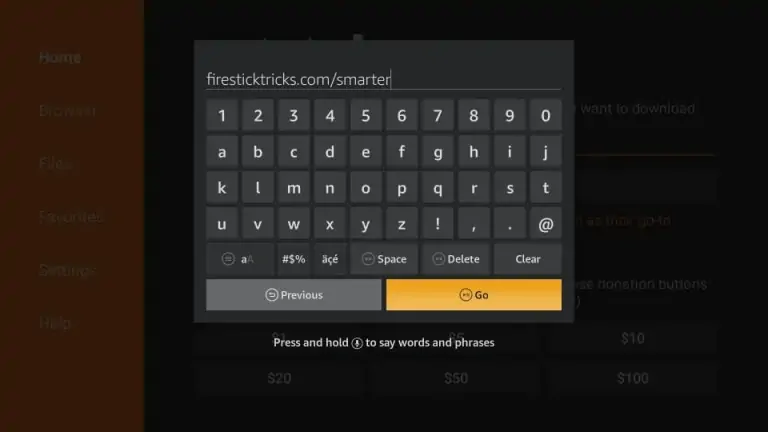
13. Give it a minute or two until the IPTV Smarter is downloaded into your FireStick device
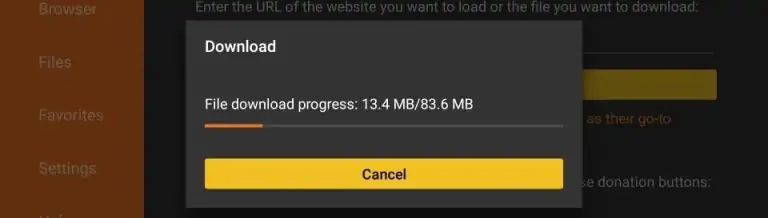
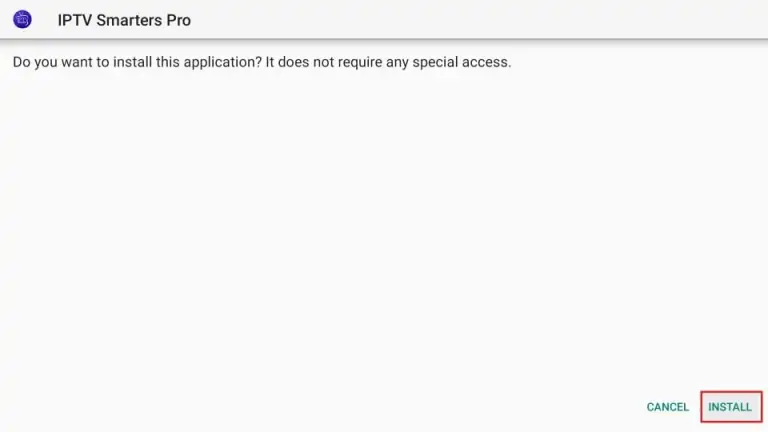
14. When the download has completed, the Downloader app will run the APK file and the installation will start
Click Install
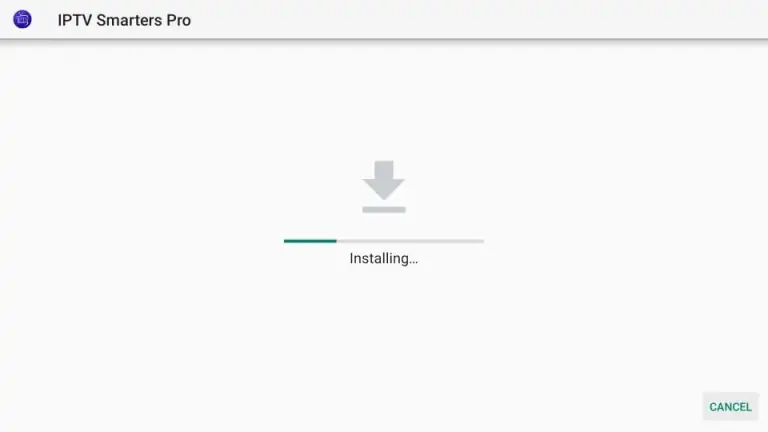
15. Wait for the installation to finish
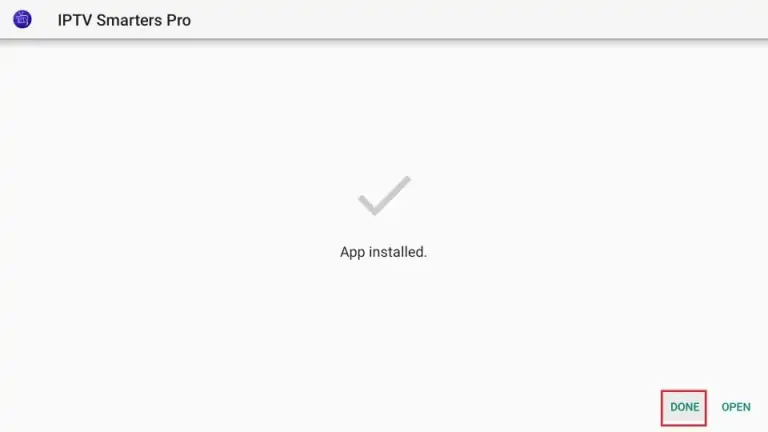
16. Installation is concluded with the App installed notification
You may now choose to click OPEN and get started with IPTV Smarters
I recommend choosing DONE so that you may first delete the APK file and save some space on the FireStick storage
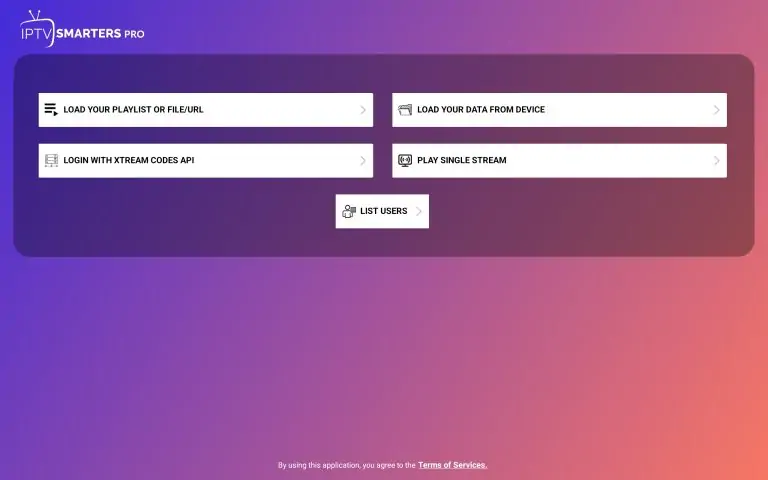
17. Open IPTV SMARTERS and click LOGIN WITH XTREAM CODES API
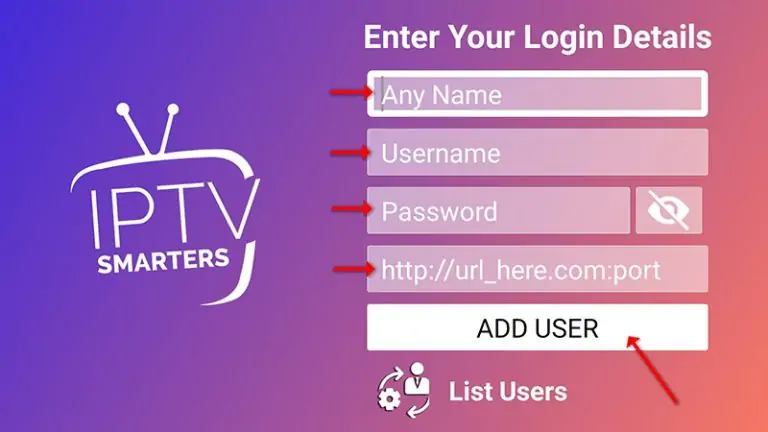
18. This is the last step. You can purchase one of our subscriptions.
FAQ:
How to find Xtream Codes details ?
Xtream Codes API informations include server URL , username and password. You can extract Xtream Codes information from M3u link . look at this example:

Surely, you will get a different experience than watching traditional satellite TV content . You will have more options to watch and the best thing, you will have freedom and flexibility that you lack in the case of traditional TV.
The process is quite simple and easy, just follow the steps given above and bring the new world of entertainment to your home.